Linking Dietary Data Directly to Seating Charts
Dietary requirements need to flow automatically from RSVP to seating chart to kitchen.

A seating chart looks like a design problem until the week before the wedding, when it turns into a data problem instead. The chart is the document that ties the guest list, the dietary answers people gave on their RSVP, the caterer's kitchen instructions, and the actual floor plan into one thing. When that link breaks, someone ends up doing it by hand.
Why dietary requirements become a seating chart problem
A seating chart is a logistics document that bridges the guest list, dietary RSVP data, the caterer's run sheet, and the day-of floor plan.
Kitchens plate meals by seat, not by household. The kitchen needs to know which specific chair gets the gluten-free lasagne, not which household submitted a form.
That's where the manual reconciliation happens: the tools don't talk to each other, so somebody has to manually close the gap. Nobody designed that gap on purpose. That reconciliation work tends to land the night before the wedding, which is the worst possible time to discover a problem.
What does falling through the cracks actually look like? A guest emails an allergy update, and it never makes it from the inbox into the seating software. A late RSVP change updates the master guest list but not the table card that already went to the printer.
And dietary requirements in Australia aren't one category anyway. Vegan, gluten-free, halal, nut-free, dairy-free, kosher: each of these needs a distinct response from the kitchen, not a generic "special meal" tag lumped in with everyone else. A halal requirement and a gluten-free requirement are not interchangeable, and treating them as one blob defeats the purpose of asking.
None of this is really about attentiveness or caring enough. It's a structural problem in how data moves (or doesn't move) between systems, and it needs a structural fix, not just a more diligent couple double-checking spreadsheets at midnight.
The data chain when it works end-to-end
Picture four links: the RSVP form, the guest list, the seating chart, and the caterer's run sheet. Each one has to pass its data to the next without a human retyping anything in the middle. If a link requires manual re-entry, it is a weak link, full stop.
Link one is RSVP collection, and this is where precision either gets built in or gets lost forever. The form needs to separate allergy, intolerance, medical condition, religious requirement, and preference, because each of those triggers a different kitchen response. An allergy is a safety issue. A preference is a hospitality issue. Folding both into one free-text box throws away information a caterer actually needs.
Link two is the guest list sync. When someone submits an RSVP, that dietary answer should attach itself to their guest record automatically, not live in a separate export file that somebody has to remember to merge in later. The dietary field should travel with the guest, the way a name or a phone number does.
Link three is the seating chart itself, and each seat on that chart should carry three fields forward to the caterer. That last one goes to the venue coordinator rather than the kitchen, but it still has to travel with the seat, not get lost in a separate email to the venue manager.
Link four is the caterer handoff. The complete list, names and table numbers together, needs to land with the caterer at final headcount confirmation, which is usually around six weeks before the wedding. Build in a roughly 10% buffer on dietary meals, because a chunk of guests always forget to mention their requirement until the week of, or assume someone already told the couple.
The Banquet Event Order is the master document that tells kitchen staff, floor staff, and venue coordinators what's happening and when, and it underlies everything else described here. The run sheet takes that BEO and breaks it down minute by minute, and the dietary list feeds directly into both documents. Without a clean dietary export, the BEO is missing a piece it needs to function.
So where does this chain actually snap? That's the seam where manual importing, CSV wrangling, and copy-paste errors live. Where the chain most commonly breaks is between Link 2 and Link 3, when the seating chart tool is separate from the RSVP/guest-list tool and requires a manual import or re-entry.
Structuring the RSVP form so dietary data arrives clean
The fix starts earlier than most couples think: at the RSVP form itself, not at the seating chart stage. Collect dietary information at the point of registration, when someone is filling out their RSVP, rather than chasing it later by follow-up email. Follow-up emails introduce version control problems. Someone replies to the wrong thread, someone's update gets buried, someone just never responds at all, and now there's a response gap nobody notices until the caterer asks for a final number.
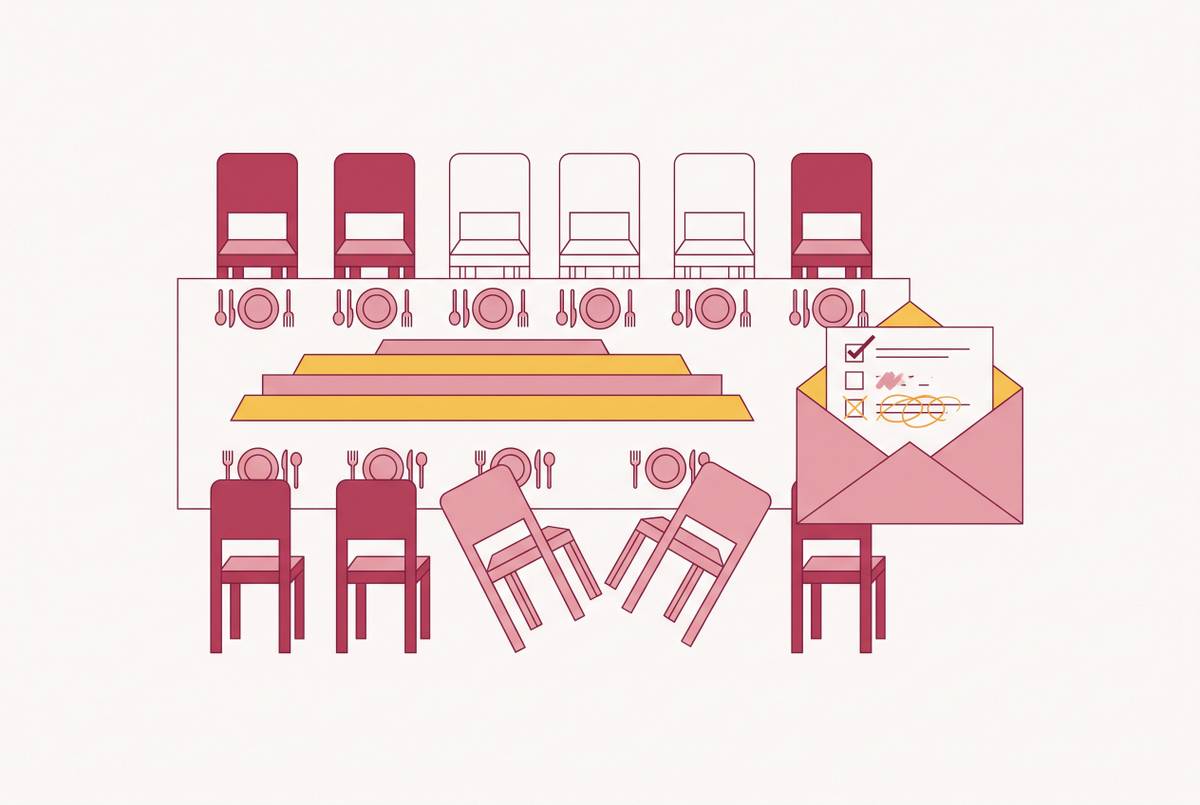
Ask per guest, not per household. The RSVP form, guest list, seating chart, and caterer run sheet form a chain in which each link must pass data forward without requiring manual re-entry.
The structure that actually works in practice: checkboxes for the common categories, vegetarian, vegan, gluten-free, nut allergy, halal, kosher, plus one free-text field for anything more specific. This isn't a trade-off between simplicity and thoroughness. Both can happen on the same form, at the same time.
Checkboxes matter because free text is genuinely ambiguous. "Can't have gluten," "coeliac disease," and "wheat-free" sound similar but might call for different kitchen handling, and a checkbox forces the guest toward a category the kitchen already knows how to act on.
If the wedding spans multiple events, a rehearsal dinner, the ceremony, a reception, dietary data should get collected per event rather than once for the whole weekend. Someone might be totally fine at a casual rehearsal barbecue but have a real requirement for the plated reception dinner. Collecting it once and assuming it covers everything means the caterer is working from an incomplete picture for at least one of those events.
If a dietary update happens after the initial RSVP, the system should propagate the change forward through the guest list and seating chart automatically (otherwise the update is an orphan). If the system can't do that, that update becomes an orphan: technically submitted, practically invisible to whoever builds the final chart.
Where seating chart tools sit on the connected-to-disconnected spectrum
Every seating tool on the market sits somewhere on a spectrum. On one end, fully integrated platforms handle the RSVP, the guest list, and the seating chart inside one system, so data never has to jump between programs. On the other end, standalone seating tools accept a CSV import and nothing more, meaning dietary data has to be manually mapped or re-entered from whatever export the RSVP tool spits out. Most tools land somewhere in the middle, with partial connections and a few manual steps still required.
Some all-in-one planning platforms bundle a table planner into their free tier alongside a budget tracker, a checklist, and a guest list, and the connection between the guest list and the seating tool exists inside that ecosystem, though features like vendor directories and default budget figures are often calibrated for a different country's market and need adjusting for Australian use.
On the standalone side, a tool called SeatPlan.io generates A3 PDF floor plans, an Excel seat list built specifically for handing to a caterer, and printable place cards, and the full designer is free with no cap on guest numbers. The free tier shows guest names as initials only on the seating chart itself, so it works best for couples whose RSVP tool already exports a clean CSV they can bring across.
Another option, AllSeated, leans into serious 3D venue visualization with drag-and-drop seat placement, which suits couples who want to actually see the room before the day. It has a free tier, and paid plans start around $10 a month for a solo user, which is a recurring cost rather than a one-off purchase.
A platform called Prismm, formerly known as Allseated, was acquired by another company in April 2025, and the standalone version is being wound down. New events can no longer be created there, and the platform is in a view-and-export-only state until December 31, 2026, when it closes entirely. Anyone who's seen it recommended in an older article should know that recommendation no longer holds.
On the Australian side, a template-based tool called Wedding Road colour-codes dietary requirements and food intolerances directly on the chart, and gives a quick visual overview of where children are seated and where any special requirements sit, alongside the general layout. It's a strong option for couples who think visually and want the dietary picture readable at a glance rather than buried in a spreadsheet column.
Some platforms stay free right up until the guest messaging or seating chart feature, and only then ask for payment, which is exactly the point in planning where switching to a different tool costs the most time and effort. Knowing where a tool's paywall sits before committing to it is part of choosing well, not an afterthought.
Bridebook includes a table planner in its free tier alongside budget planner, checklist, and guest list, with the connection between guest list and table planner present, though the vendor directory is UK-focused and budget defaults are calibrated for the UK market.
Why the chart should be built late, not early
The single most common mistake couples make is sketching out table layouts before RSVPs are even confirmed. It feels productive early on, but it locks in assumptions, who's sitting where, how many tables are needed, that the dietary data arriving weeks later then has to be forced into.
A sensible timeline looks something like this. This is when the form design gets finalised, not when the data starts rolling in.
Anyone still waitlisted or uncertain goes into a holding bucket rather than a seat, because at this stage the dietary data attached to confirmed guests is finally clean enough to build on.
At the six-week mark, the complete dietary list goes to the caterer alongside final headcount confirmation, with that roughly 10% buffer built in for the stragglers who forget to mention a requirement until the last minute.
The reason this sequencing matters comes down to data quality. A chart built at six weeks off confirmed RSVP data has far fewer dietary gaps than one built at twelve weeks and then revised repeatedly as responses trickle in. Every early revision is a chance for something to get missed or overwritten.
A trend to watch for 2026 is the QR-code seating chart, where couples put out one or two cards guests scan with their phone to find their seat, instead of one large printed board with everyone's name on it. It cuts down on print costs, and it can be updated instantly if a seat assignment changes after the printed materials are already locked in.
That instant update only actually works if the seating tool is integrated with the guest list. When it is, a late dietary change flows straight into the digital QR version even after the printed cards are done. When the tool is standalone, that same update becomes a manual task someone has to remember to do by hand. At 12 to 8 weeks out, the invitation policy for plus-ones and children should be finalised and the RSVP questions should be set to capture meals, dietary needs, and accessibility, since this is when the form design is set. At 6 to 4 weeks out, the first draft layout should be built using confirmed guests only, leaving waitlisted or uncertain names in a holding bucket, as dietary data from confirmed guests is now clean and usable.
The caterer handoff: turning a seating chart into a usable run sheet
What does a caterer actually need on the day? Each guest's name, their table number, their dietary requirement written exactly as they submitted it, and their meal choice. Not a summary headcount, and not a list sorted by dietary category instead of by seat.
That distinction, sorted by seat rather than by requirement, matters more than it sounds like it should. Discreet service during a sit-down dinner depends on the floor staff being able to find a specific guest quickly and quietly, not scan a list of everyone with a gluten allergy and try to match faces to names across a room. The team needs to locate the person, not count the meals.
Labels need to be consistent, too, and they need to describe the dish that's actually being served, not an earlier version of the menu that got revised somewhere along the way. A label that describes the planned dish rather than the final one isn't just confusing, it's a liability if a guest with a genuine allergy ends up served something that doesn't match what they were told.
All of this feeds back into the BEO and the run sheet. The Banquet Event Order is the master document for the whole event, the run sheet turns it into a minute-by-minute schedule, and the dietary seating export has to feed both of those documents directly. A caterer working without that per-seat breakdown is, functionally, working from an incomplete BEO, no matter how good the rest of the planning has been.
On the day itself, there should be one designated point of contact, a catering captain or event manager, fully briefed on every dietary requirement in the room. That's a structural role that needs to be assigned ahead of time, not something improvised if a guest asks a question mid-service.
As for timing on the actual handover: the complete list goes over at six weeks, any updates that come in after that go over as a revised version, and a final confirmed version is due at the caterer's own deadline, which most venues set somewhere between one and three weeks out. A well-connected seating tool should output something print-ready at each of those stages, an Excel file or PDF that matches the caterer's own run sheet format, sortable by table, with dietary flags clearly visible. Couples using disconnected tools often end up reformatting this by hand each time something changes; couples using integrated tools get it generated directly, without the extra step.
Tools that close the dietary-to-seating gap
Five questions separate a genuinely connected tool from one that only looks connected in a demo. Does a dietary update made on the RSVP form automatically update the guest list record? Does that guest list record show up in the seating chart without someone manually importing a file? Does the seating chart's export actually include dietary fields, or just names and table numbers? Does a change made to an RSVP after the chart already exists propagate forward on its own, or does it demand a manual re-import? And can the dietary output be sorted by table or by seat, rather than only by requirement type, so it's actually usable by a caterer on the night?
For Australian couples specifically, a few extra things matter beyond the core mechanics: pricing in Australian dollars, a tool actually built around Australian venues and seasons, and no requirement for a US billing address just to access core features. The dietary-to-seating chain itself works the same everywhere in the world, but the surrounding planning experience, vendor suggestions, seasonal defaults, pricing, is a lot smoother when it's built for the market a couple is actually planning in.
Couples who already have an RSVP tool they're happy with don't necessarily need to abandon it. A standalone seating tool with clean CSV import can close most of the gap, as long as the dietary fields are actually included in that export, and the couple accepts that late updates need deliberate re-importing rather than happening automatically. That's a real trade-off, not a flaw exactly, just a different amount of manual attention required down the line.
The cleanest outcome, though, comes from choosing the RSVP tool and the seating tool together, as part of the same system, rather than bolting one onto the other after the fact. Every manual handoff between systems is a place data can quietly go missing. Removing the handoff removes the risk, and that is really what closing the dietary-to-seating gap comes down to.