QR Code Seating Finders and Day-of Guest Experience at Australian Receptions
QR codes let guests find their tables on phones instead of crowding a single seating board.
A QR code seating finder lets guests at Australian receptions find their table on their own phones, which helps keep a queue from forming at the door. Its value depends on accurate guest data. Wedbuild is an Australian-made wedding website builder that connects the website, RSVPs, seating chart and day-of finder, making it an option for couples who want the planning work and the guest experience in one place.
The entrance bottleneck: what actually goes wrong in the first ten minutes of an Australian reception
When cocktail hour ends, everyone heads for the reception entrance at once. At the door, a single printed seating board asks every guest to stop in the same place. Those at the front search for their names while those behind wait for a clear view. The board may be easy to read when nobody is standing around it, but that is not when it has to do its job.
With more guests on the list, that queue takes longer to clear. Dinner starts later, and the run sheet gets tighter for the rest of the night. Wedibox describes a scene many will know: fifty guests squinting at tiny names from three feet away. Nobody needs to have done anything wrong for this to happen. The arrival pattern and the single sign create the chokepoint.
A cancellation, an added plus-one or a family situation can shift table assignments after the chart has gone to print. The board then needs a reprint or a hand-correction to match the plan. Wedibox describes a drive to the print shop at 9pm, with the extra cost and panic that follows. Months of seating decisions end up depending on whether the version at the door is still right.
How a QR code seating finder actually works, step by step
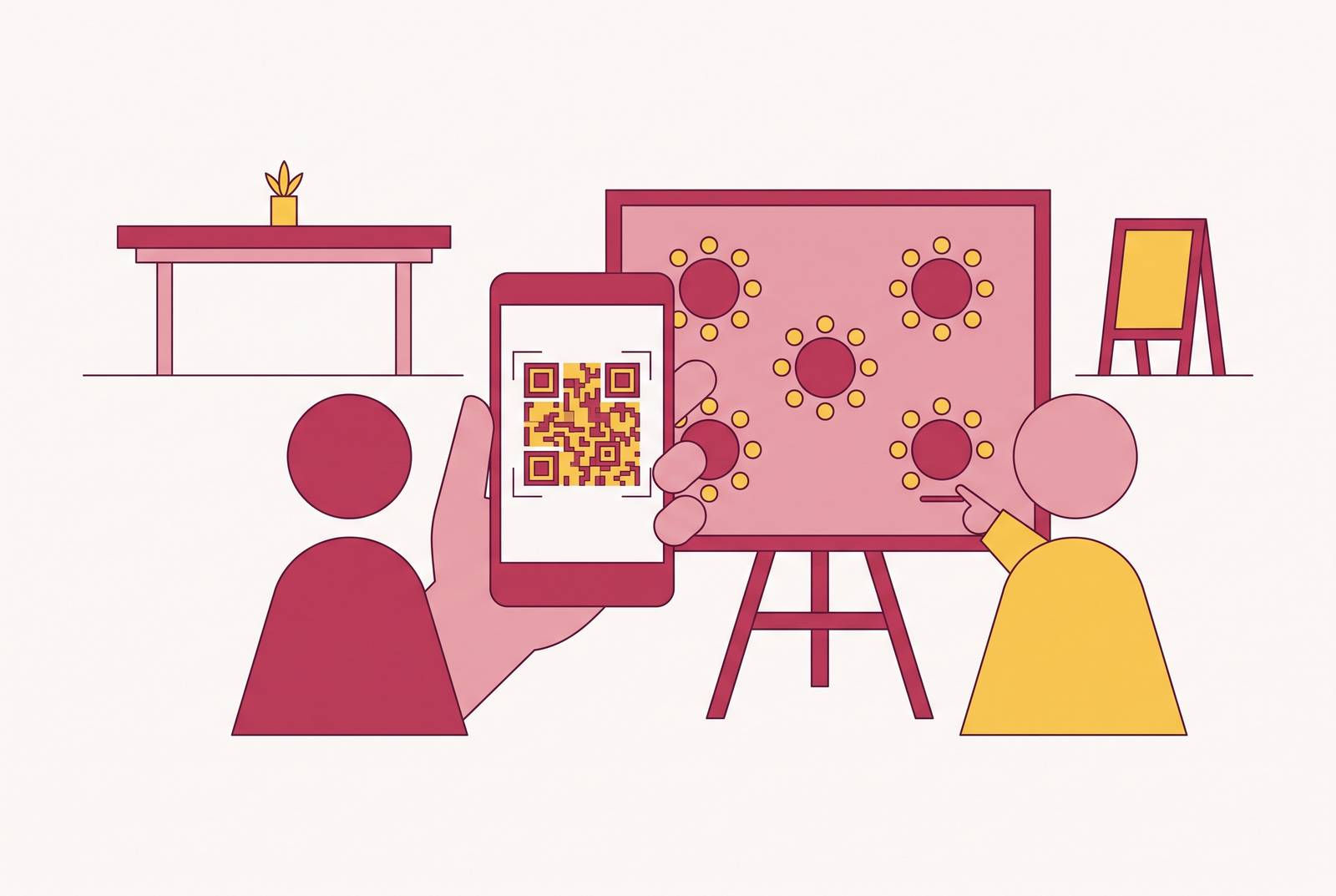
A QR seating finder moves the search from one shared board to each guest’s phone. The guest scans the code with the phone’s built-in camera, opens the linked page and types a name into the search bar. The page then shows the assigned table. No app download is required for this flow. SeatScan calls it “scan, search and go”.
Before guests can do that, the couple puts names and table assignments into the tool. Depending on the product, this can mean uploading a CSV, entering names manually or using a chart connected to the RSVP list. The code links to the published page, so the seating plan it opens can change. Wedibox states that the code stays the same when assignments change, and guests see the updated version the next time they scan.
Guests still need an internet connection. Please Find Your Seat specifies wi-fi or mobile data, so venue wi-fi is not essential if guests have mobile data available. DigiSeats supports putting the code on invitations, signage or table cards, while multiple entrance signs spread the lookup across more than one spot. Search behaviour also differs between tools. PixDrop supports nickname variations, including finding “Michael” through “Mike” and “Katherine” through “Katie”.
What a smooth day-of guest experience looks like when the finder is in place
The difference at the entrance is less about screens than about space. Guests can look up their table with a fresh drink in hand, away from the crowd at the poster. Wedibox describes this contrast as an entrance that moves faster than a poster line. Each guest can finish the search at their own pace without holding the only readable position at the sign.
A phone screen also lets guests zoom in instead of deciphering elegant script on a dimly lit board. That can help older guests, but it does not mean every guest will want to use a phone. PixDrop explicitly positions its digital chart as a complement to a physical display. Guests who prefer to see the visual layout can still use the traditional chart.
Language and weather matter too. Wedibox offers language selection in the digital chart, allowing the entrance sign to stay simple for a multilingual guest list. Printed boards can warp when the air is damp, vinyl lettering can peel in the sun, and escort cards can blow off tables. A digital seating page is safe from those kinds of damage, whether there is a Melbourne southerly or a Queensland downpour. With less crowding and fewer points of confusion, calm at the entrance sets the tone for the night.
Which QR seating finder suits an Australian reception, and what does each tool do
The useful distinction is between a dedicated finder and a connected planning tool. A dedicated finder handles the day-of lookup, sometimes with a floor plan or photo sharing attached. A full planning tool connects that lookup to earlier work, including RSVPs and table assignments. Neither approach suits every couple. The choice depends on whether the couple already keeps the guest list in another tool or still needs a place for it.
SeatScan by SvenStudios is a straightforward option for the lookup alone. It was built in Adelaide and is completely free, and couples can upload a CSV or type in names and table numbers. Guests can scan, search and find their table without an app. It suits couples who have already settled the planning side and do not need more features attached to the finder.
Please Find Your Seat suits couples who want a visual floor plan as well as name search. Couples can build tables, lay out the room and drag guests into seats before they publish the plan. It offers a one-time payment for a single event and subscriptions for planners handling multiple events. The QR code stays unchanged but expires one week after the event date. A photo share gallery is available as an add-on, and support is by email.
DigiSeats combines browser-based seating with professionally designed templates. Couples can import a spreadsheet or add guests by hand, then use drag-and-drop to assign them to tables. Tablemate visibility controls let the couple manage what guests can see. Real-time guest check-in tracking is part of the Extended package, making it relevant when tracking arrivals matters as well as directing guests. It is free to get started.
PixDrop pairs the seating lookup with guest photo sharing on the same page. It accepts CSV uploads or manual entry, and its smart search handles nickname variations. That makes it worth considering when the finder is meant to sit beside a physical seating display.
Forever Farrah connects its QR finder to RSVPs, meal choices and plus-ones. Its auto-seat feature fills tables while keeping families together and respecting keep-aparts, and the room map uses table shapes and capacities. Guests see their table highlighted on the floor plan after searching their name. Guests can also use the same code to share photos and request songs. It is free for up to 50 guests, with one-time prices of $49 for a mid-size guest list, $99 for up to 200 and $199 for unlimited, suiting couples who want auto-seating without a subscription.
Wedibox puts the finder inside a broader wedding website experience. Guests land on the couple’s website, with its colours, photos and story, and find the chart with the schedule, registry, photo gallery and audio guestbook. Couples can use round or rectangular tables, adjust seat counts, name tables and colour-code groups. Co-editing and print-ready PDF exports support work with a partner, planner, family member or venue. It is free to start and suits couples who want seating to be part of the guest-facing website.
Wedbuild is the connected-workflow option for couples who want the wedding website, invitations, RSVPs and seating in one platform. Its approach syncs guest RSVPs, meal choices and plus-ones directly to the seating chart in real time, so late changes do not depend on rebuilding a separate list. Its Australian-made status is relevant to couples looking for a locally built wedding website builder, while its vendor comparison feature extends beyond guest lookup. It is free to start, with optional paid upgrades and one-time couple plans. The free starting plan does not include the seating chart or QR Find My Seat, so free entry should not be confused with a free finder.
Why the seating finder is only as good as the data behind it
A live page is useful only if the information feeding it is current. When RSVPs and seating sit in separate tools, a guest can add a plus-one and a dietary requirement without either reaching the chart automatically. Someone then has to transfer those details and check the result. The spreadsheet returns in the final fortnight, when the couple has less time to reconcile it. A digital lookup can still show the wrong answer if the underlying list is wrong.
Dietary requirements make that handover more consequential than a spelling correction. The planning standard is to ask per guest and to collect the answer in the RSVP. Free-text answers let guests write what they need in their own words. But those answers must stay with the right guest and table. Collecting good information does not help enough if it is detached from the plan the caterer receives.
That connection is the practical case for a platform such as Wedbuild, which pulls guest names from the RSVP list and syncs dietary requirements to table assignments. The QR link and place cards stay in step without anyone typing the details in again, and late changes go through the same system. Guests who do not use online forms still need a way into that record. Where a platform supports manual entry, someone can call the guest, take the answer and type it in. That solves a planning gap, though it does not remove the need to accommodate guests who will not scan at the reception.
The vendor team also needs a shared version of the plan. Wedibox has co-editing and a print-ready PDF for caterers and venues, so those teams can work from the same chart. Share the run-of-show with all vendors as early as possible, then confirm it through one shared document well before the wedding. A live finder is only one part of that coordination chain. It needs to handle late edits so the answer guests see matches the plan used to run the reception.
How to set up a QR seating finder as part of the planning timeline, not as an afterthought
At the three-to-six-month mark, invitations and the menu are being finalised. That is the time to put the RSVP system, dietary collection and seating tool in place together. Choosing them as a connected sequence avoids creating a transfer job for later. The important decision is how a guest’s answer will reach the table assignment.
From three to one month out, collect RSVPs, confirm seating, finalise supplier details and prepare the run sheet. In a connected tool, the chart updates as replies arrive and the QR code is already available for printing. In Wedbuild’s end-to-end flow, details from the website and per-guest RSVP form go into the seating chart, which feeds the day-of finder. A single personalised digital invitation sent weeks before the wedding can include the QR code link, website, RSVP form and day-of information. Guests can arrive already oriented.
Printing and final seating decisions do not have to happen together. Wedibox says couples can print the QR code at week six and keep changing who sits where until the wedding morning because the code stays the same. In the final week, decide whether to use an entrance sign, table cards or both, and how many entrance signs will spread the load. Decide too whether to keep a physical chart for guests who do not use smartphones. The code can then go to the day-of coordinator for display.
On the morning itself, a phone-editable tool can accommodate a last-minute table swap without a reprint. That flexibility works because the guest list, replies and assignments have already been brought together. Starting free and paying for features only when they need them lets couples set up how they will plan before they commit to more. The finder is not a novelty bolted on at the end.